Most of my day, Claude Code and Codex are working on something while I write or review something else. And every time Claude Code ran Playwright or booted the simulator, a window jumped in front of whatever I was typing.
Half a sentence would land in Chromium, or I'd press Return in a dev build I wasn't even looking at. This happened dozens of times a day, and it drove me nuts.
So I spent three days building a Mac app called Doorman to stop it. This post is about why the problem exists, what turned out to be hard, and the bugs I hit on the way. Some of them were embarrassing, and I think they're the most useful part.
Why macOS lets this happen
On a Mac, coming to the front is something an app does to itself. Any app can ask to be activated, and macOS usually says yes. No permission covers it, and System Settings has no switch to turn it off. People have been complaining about it on Apple Discussions and MacRumors for years.
Launching makes it worse. When something runs open SomeApp.app, the app starts and comes to the front. There is an open -g flag that launches in the background, but the tools agents call don't use it, and browsers and the iOS Simulator bring themselves forward when they start anyway.
For a person this is mostly fine, because you're the one launching things. An agent launches things all day while you're in the middle of a sentence, and macOS has no idea there's a difference.
The part that shaped everything else is that you can't say no. There's no public hook that lets one app veto another app's activation. You find out after it happened, through a notification. In my measurements that notification usually arrives a couple of milliseconds after the switch, and now and then it takes 60 to 80 ms. By then the other app is already in front and might already have your keystrokes.
So Doorman can't prevent anything. It can only react, and react fast.
The basic move
If something jumps in front while you're typing or scrolling, Doorman puts your window back. Across my end-to-end test runs that took between about 14 and 27 ms, measured from the switch to your app being in front again. The window that jumped in is visible for roughly 20 ms, which is short enough that you mostly notice a flicker.
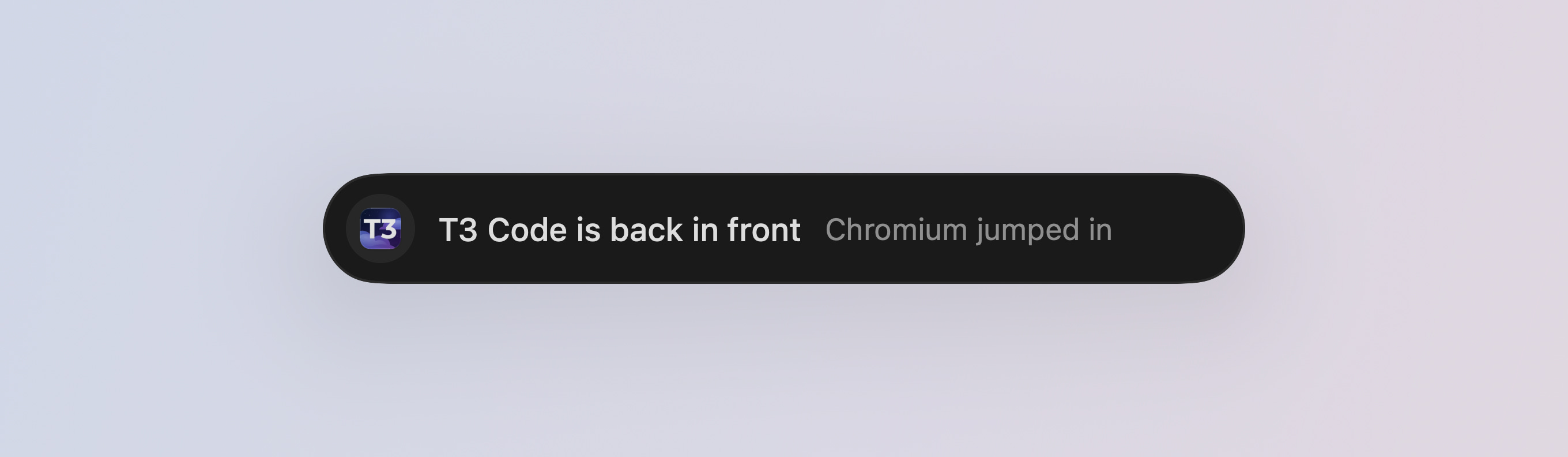
It only does this once. If the same app jumps in again right away, Doorman moves it out of the way, and if it tries a third time Doorman leaves it alone. I didn't want a tug of war with an app that really wants to be in front, because two programs fighting over focus is worse than the original problem.
The hard part is knowing it wasn't you
Putting a window back is a single call. Deciding whether you should is where almost all of the work went.
Your own switches have to win every time. A click, ⌘Tab, a swipe to another desktop, picking something in Spotlight. If Doorman ever undoes one of those, it's broken, no matter how many agent windows it caught. And all Doorman sees is that the frontmost app changed. It has to work out why, using what it knows about your input around that moment.
That sounds simple until you hit real cases. Here are a few that bit me.
The click that arrived late. I was scrolling in Discord, then clicked on my browser, and Doorman put Discord back. It turned out the click that caused the switch sometimes reached Doorman after the switch itself, up to 270 ms later. So Doorman judged the switch on the scrolling alone and decided I hadn't asked for it. The fix was to stop trusting the order things arrive in and double check against the system's own record of when I last clicked.
The app that takes three seconds to start. You double-click something in Finder, keep typing in your editor, and three seconds later the app's first window opens. That's an app you asked for, even though you were typing when it showed up. My first attempt at this gave a pass to any launch after any click, and a live test caught it letting real interruptions through. It's narrower now and covers the places you actually launch apps from.
Gestures that weren't yours. Some trackpad gesture events come from the window server itself, not from your fingers. For a while Doorman counted those as you swiping, which let a second interruption through. Smooth-scrolling utilities caused a similar mixup, because they re-post wheel events and those look synthetic. Doorman only counts scrolling that comes from the trackpad or mouse itself.
Talking counts as working. I dictate a lot of my prompts. If you're talking to an agent through a dictation app, you're busy even though you're not touching the keyboard, so having the microphone open counts as activity. Doorman only sees which apps are recording. It never hears anything.
I'm keeping the exact rules to myself, partly because they're still changing every few days. The general lesson is that every shortcut I took here, like "any click" or "any gesture", was wrong in a way only a real test on a real Mac showed me.
My first version could freeze the keyboard
The first version sat in front of every keystroke. It used an event tap that intercepts input, which means macOS hands each key to Doorman and waits for Doorman to pass it on. That let it hold keys while it fixed focus, and check pastes before they happened. It felt clever.
The problem is that in that position, any bug in my code becomes a bug in your keyboard. If the tap stalls, your typing stalls. It froze input on me twice on day one.
So I took it out. Doorman now creates a listen-only tap:
CGEvent.tapCreate(
    tap: .cgAnnotatedSessionEventTap,
    place: .tailAppendEventTap,
    options: .listenOnly,
    eventsOfInterest: mask,
    callback: callback,
    userInfo: userInfo
)
With .listenOnly, macOS gives Doorman copies of events after the fact and never waits for it. Doorman can't delay or swallow a key even if it hangs. Everything it does is a reaction that happens afterwards.
If you're building anything that watches input on a Mac, I'd start here. An active tap is a big responsibility for a small feature.
Getting your keystrokes back
Listening only has a cost. If a window jumps in mid-word, the keys you typed in that moment already went to the wrong app, and a listener can't stop that.
So Doorman remembers the last few seconds of keystrokes and which app got each one. After it puts your window back, it replays the keys that landed in the intruder into your app. It skips anything typed with ⌘ or ⌃ held, so a shortcut never fires in a second app. The copies still stay in the app that jumped in. I'm fine with that trade. A stray "abc" in a browser tab is annoying, and a frozen keyboard is much worse.
Order turned out to be the tricky bit. When you type fast, your next real key can overtake a replayed one, and you end up with "abdce". My test types "ab", triggers an interruption, then types "cde" in bursts at 40 ms a key, and checks for exactly "abcde". For a while one run in five swapped a letter. Getting that to zero took a few rounds of timing logs, and the fix involved catching keys that overtook a replay and putting them back in order.
The lane
Windows that agents open never land in front of you at all. They wait off to the side, in what I call the lane, until you want them. You can park them just off the edge of the screen, hide the app, or send them to a second display. The default is automatic, which uses the second display if one is connected and hides the app otherwise.
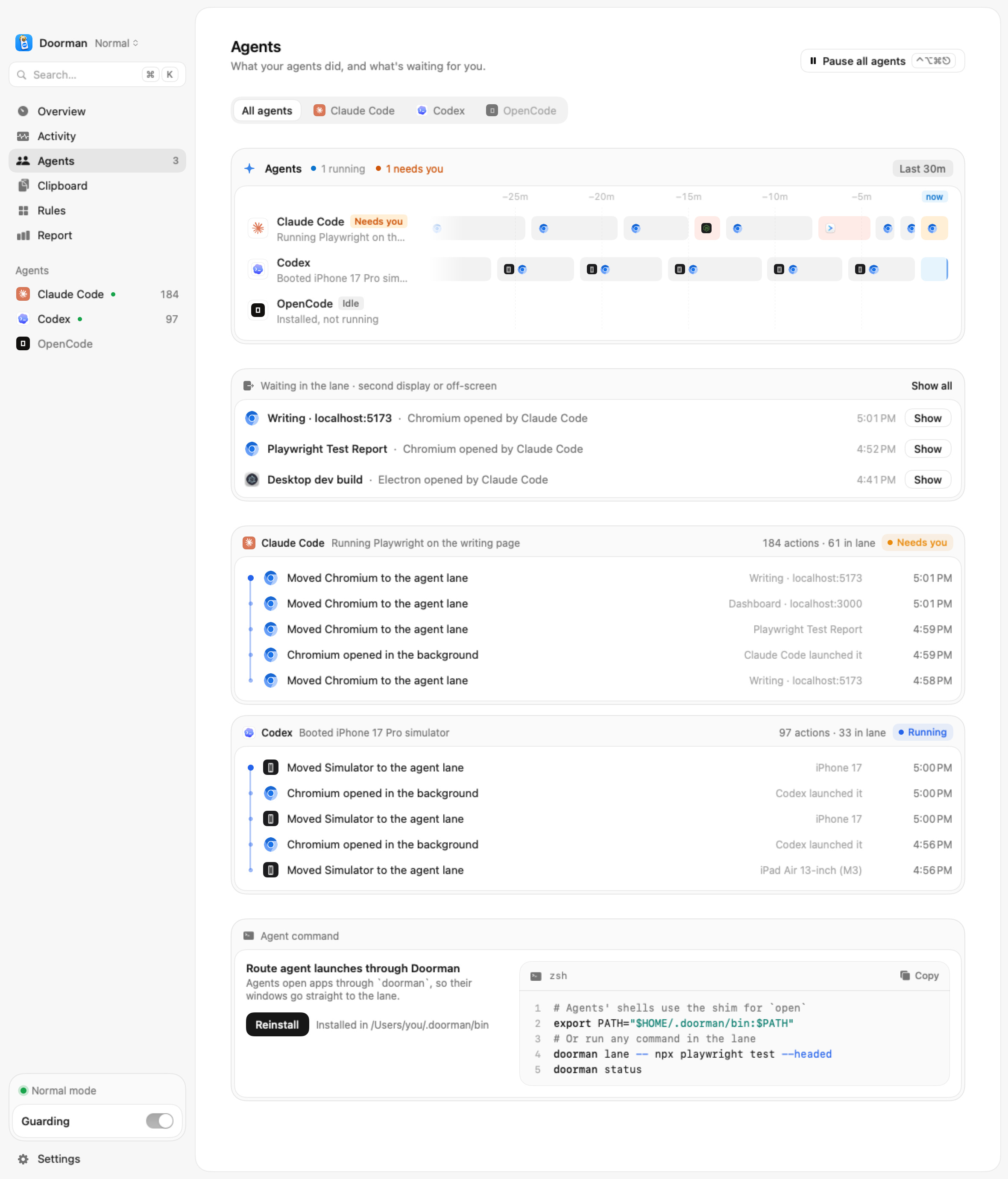
One sneaky case showed up here. Some apps don't take focus at all. They raise a window over yours with orderFrontRegardless and leave your app active, so you're typing into something you can't see. No activation happens, so there's nothing to react to. Doorman checks the window order while you type and pushes a window like that back under yours. That one takes longer, around 345 ms in my tests, because it has to look instead of being told.
Which agent opened this?
To label windows, Doorman walks up the process tree. If a Chromium traces back to Claude Code, it's an agent window.
That works until something uses open. macOS makes launchd the parent of anything opened that way, so the tree just ends at launchd and the agent disappears from the story. Doorman can install its own open shim for your agents. When an agent calls it, the shim tells Doorman who's asking and opens the app in the background.
None of this is a security boundary, by the way. It keeps honest agents labelled correctly. Software already running as you could activate apps directly anyway.
When an agent types for you
Some agents drive your keyboard and mouse directly. Doorman shows a small indicator when that happens, and ⌃⌥⌘⎋ pauses every agent and everything it started. Pressing it again resumes them.
In my tests the process sending the input gets stopped about 1 ms after its first event, and nothing else arrives after that. The first event itself still goes through, because Doorman listens and never holds input. I'd rather be upfront about that.
Letting agents ask
Sometimes an agent does need something in front, for example a sign-in window. It can ask with doorman focus Xcode from the command line, or through an MCP tool, and give a reason.
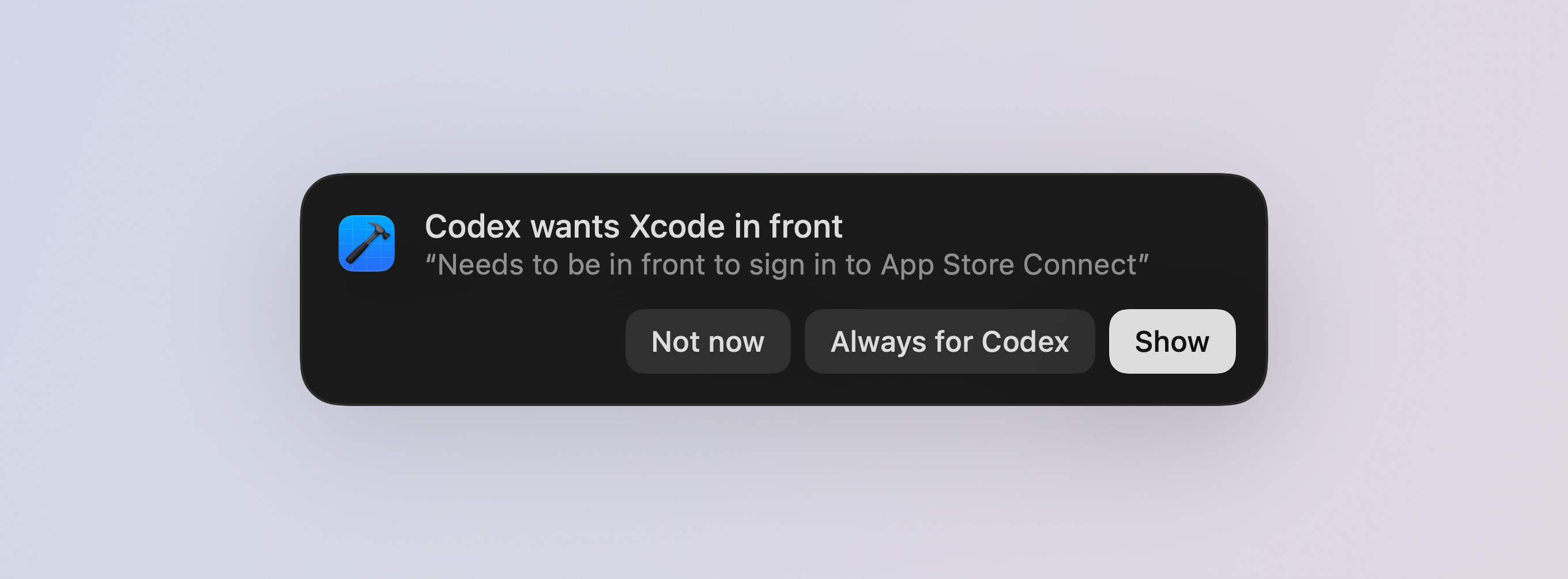
You get a small prompt, and nothing moves until you answer. You can say Show, Not now, or Always for that agent and that app. Even Always waits while you're typing. The command exits with a different code for shown, declined and no answer, so a script can tell what happened. Doorman doesn't spot sign-in windows by itself, so the agent has to ask.
How I know it works
I didn't trust unit tests for this, because almost every bug above only happened with real windows and real keys. So Doorman has an end-to-end harness that runs on my Mac. It opens a test editor and a few apps that misbehave on purpose, types real keys, and checks where they landed. Some scenarios run a real Claude Code agent and let it open things while the harness types.
It also tracks how much the app itself costs, because a utility that watches all your input has no business being heavy. When I last measured, the app was about 4 MB, used around 25 MB of memory, sat at roughly 0.4% CPU when idle and woke up 0.2 times a second. That last one used to be 68. Profiling also caught one early version of the agent watching using about 4% CPU doing nothing, which I'd never have noticed by feel.
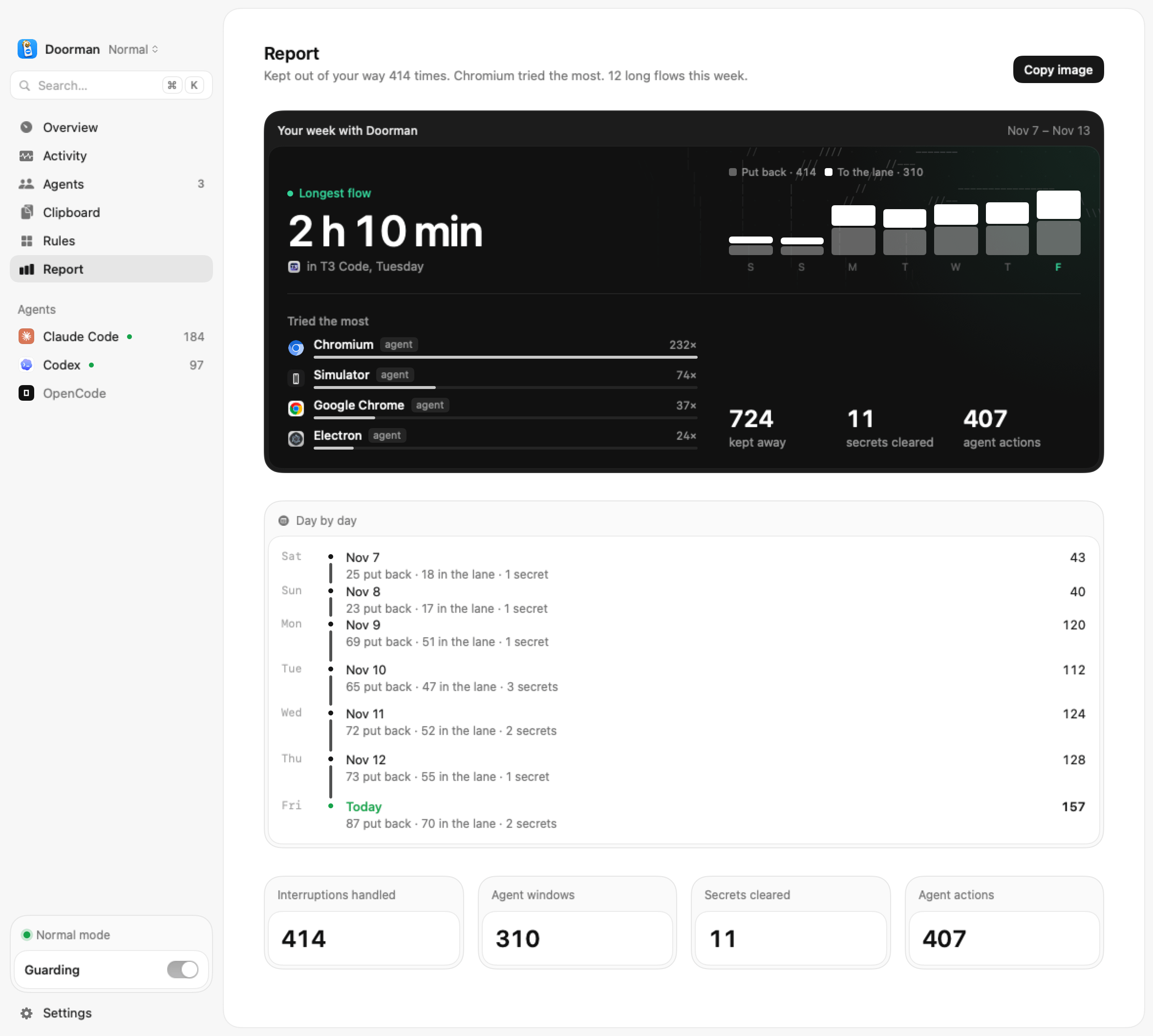
A couple of smaller things came along because agents do more than open windows. Copied API keys leave the clipboard after a minute. If you paste one into the wrong place, like a chat app, Doorman pulls it back. Nothing leaves your Mac.
Other ways to deal with it
Doorman isn't the only option, and depending on how you work, another one might fit you.
Playwright MCP has a new background mode. It's built in and needs nothing extra, though it only covers Playwright. Cua Driver is meant for people building their own agent, and you can run Doorman alongside it. You can also run agents in a VM or on a separate desktop, which keeps them fully apart from your own work at the cost of some setup.
I wanted something that works with the agents and apps I already use, including the simulator, dev builds, Slack and Zoom, without changing how I run any of them. That's why I went this way.
Trying it
Doorman runs on macOS 15 and later. It's free during the beta, and after that it'll be a one-time paid license. It isn't notarized yet, so the install command on the site is the easiest way in. It asks for Input Monitoring, so it can notice your own typing, and Accessibility, so it can move windows.
If your agents keep opening windows on top of your work too, you can get Doorman at usedoorman.app.
I'm curious what your agents open the most. Mine is Chromium by a mile.